Having previously reviewed the ABOX A1, which had issues with some local file playback, I thought I would try another budget Android TV brand, this time the Globmall X4.
Priced at just £42 it is slightly cheaper than the ABOX A1 but has the same specification.
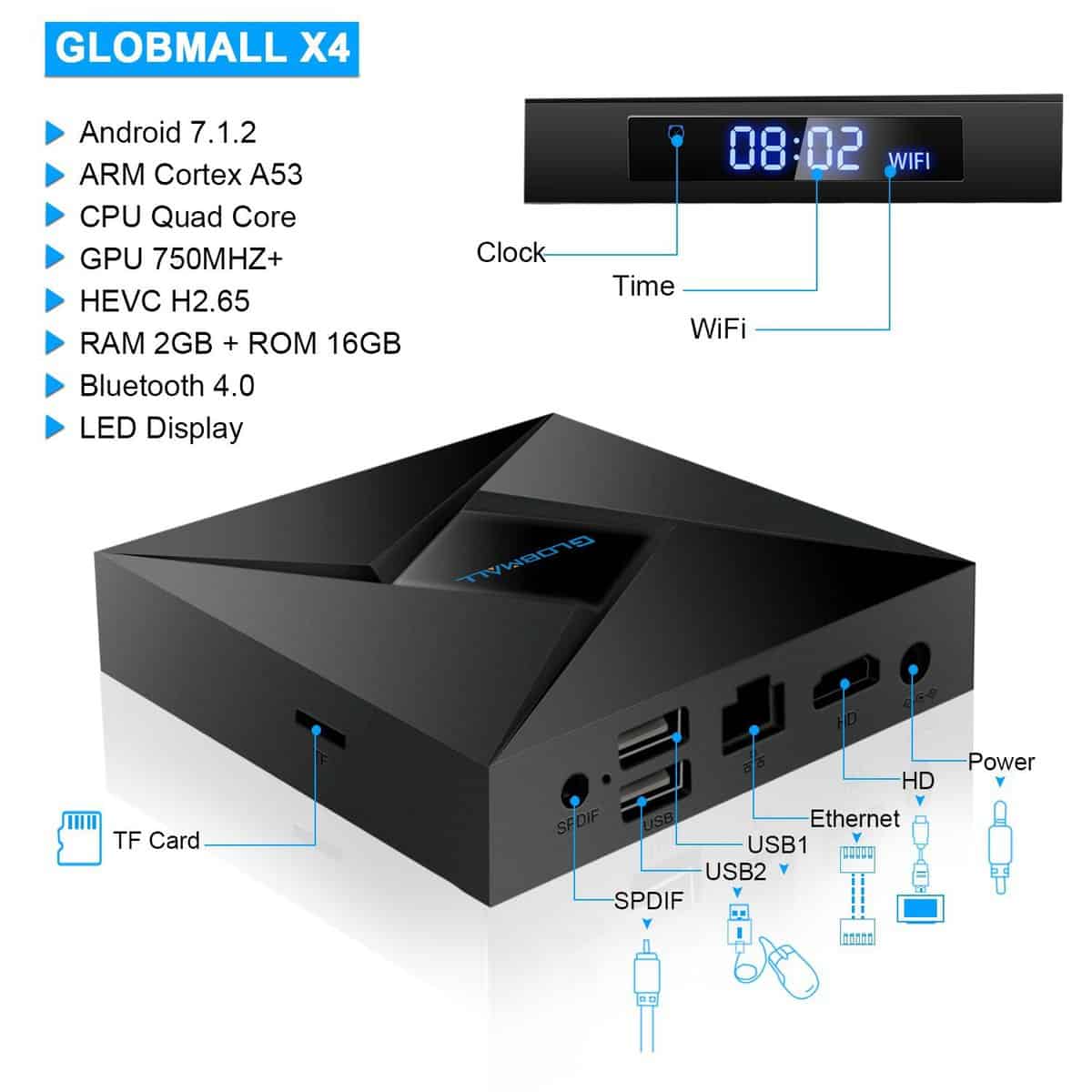
The internals is the same, you get:
CPU: Amlogic Quad Core cortex A53@2.0GHz 64bit
GPU: Penta-Core Mali-450MP GPU @ 750MHz
RAM: 2GB DDR3, ROM: 16GB EMMC
Flash Power Supply: DC 5V/2A
Power Indicator (LED): Blue (On); Red (Standby state)
3D: 3D graphics hardware acceleration
FAT16 / FAT32 / NTFS HDD file system
Subtitle support: SRT / SMI / SUB / SSA / IDX + USB
High definition video output: 4K * 2K
LAN: Ethernet: 10 / 100M, RJ-45 standard
Wireless: support 802.11 a / b / g / n at 2.4GHz
The only real difference between the 2 is the case that contains the hardware and the remote supplied. With the Globmall X4, you get a LED display on the front of it which helps with user feedback, so I would say it is slightly better of the 2 options.
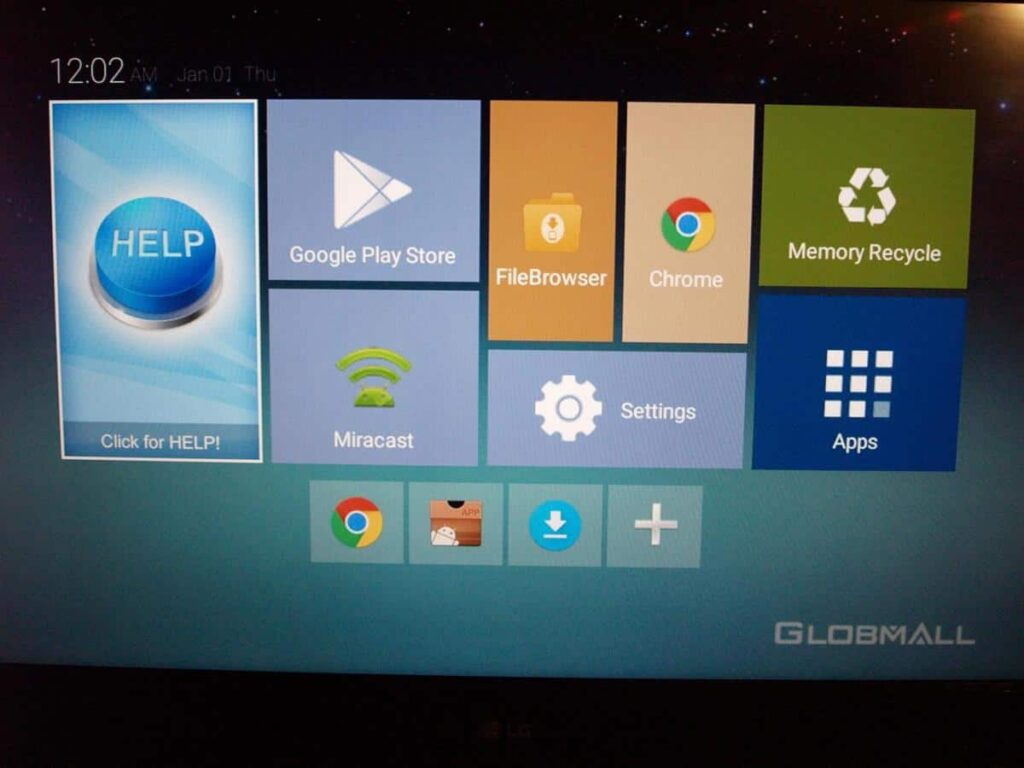
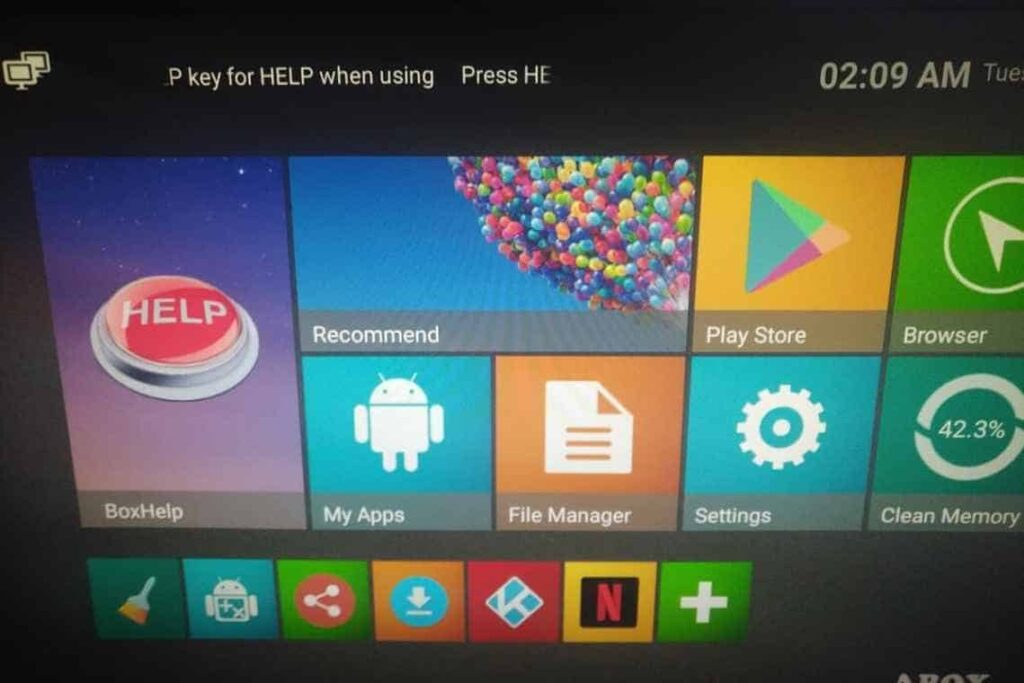
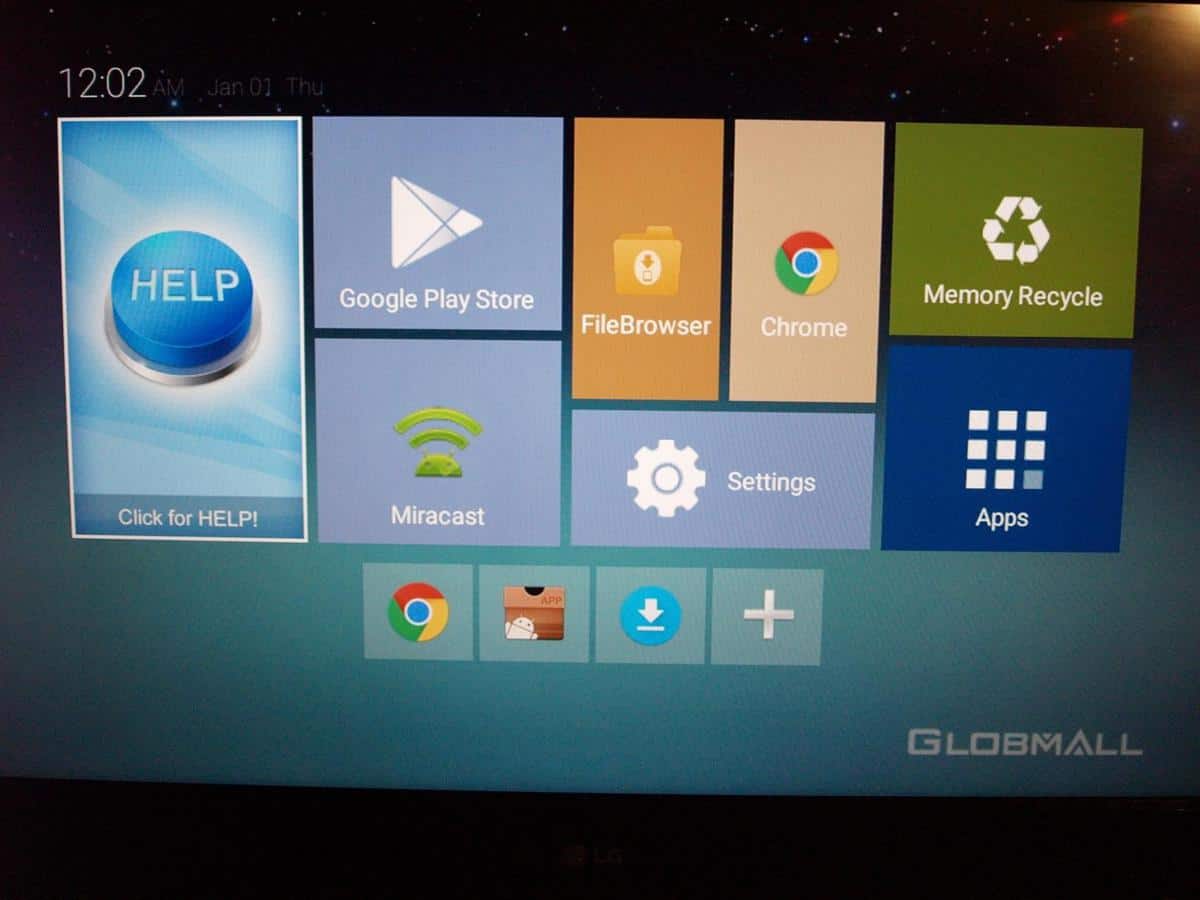
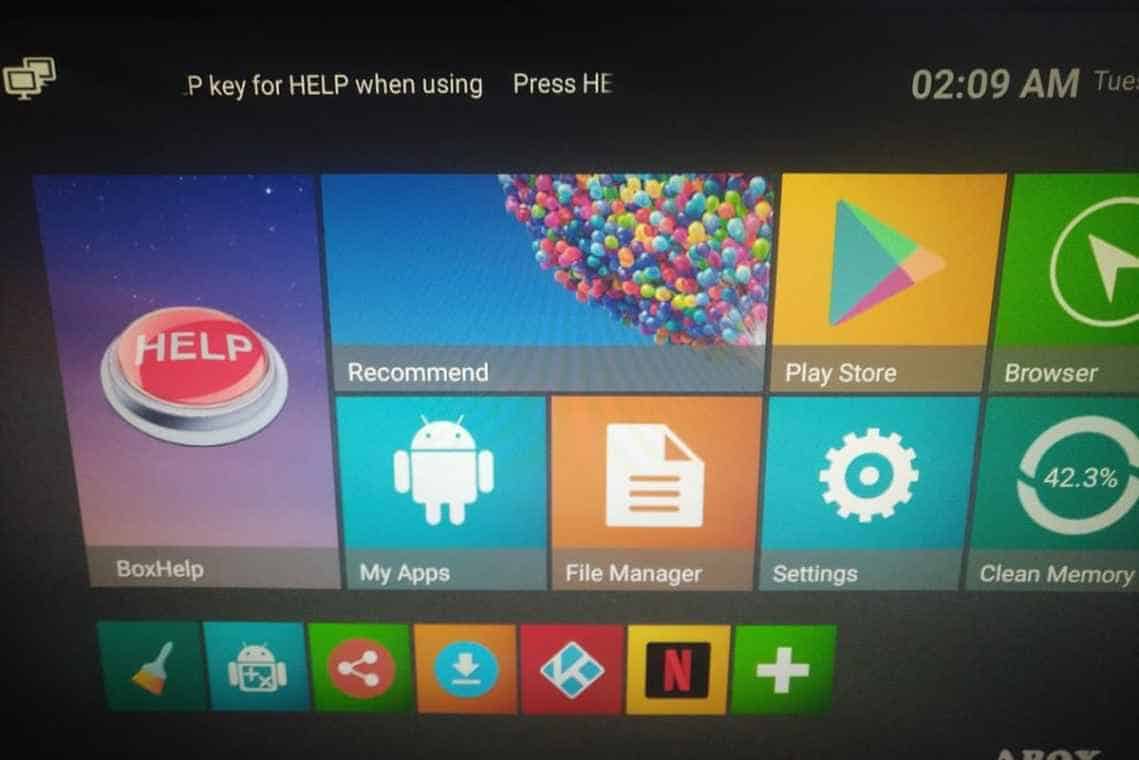
With the hardware inside being identical, it may come as no surprise that the software is equally similar. The colours are slightly different and the wording on some of the options, but everything else is identical.
Globmall X4
ABOX A1
This includes the help section which facilitates the installation of Kodi and optional streaming add-ons. I only stream Netflix and Amazon, so I can’t comment on any extras that you can install with Kodi. All my Kodi content is from local files played on a server.
The bundled remote is IR based similar to the A1, it works fine, it is not very responsive, but it gets the job done, and works well when browsing media in Kodi. I did, however, quickly switch to one of the mini keyboards available on Amazon. Once I plugged in the transmitter it worked immediately. This is much more responsive, doesn’t require line of sight, and gives you a proper keyboard and touchpad. They are well worth the £10 investment.
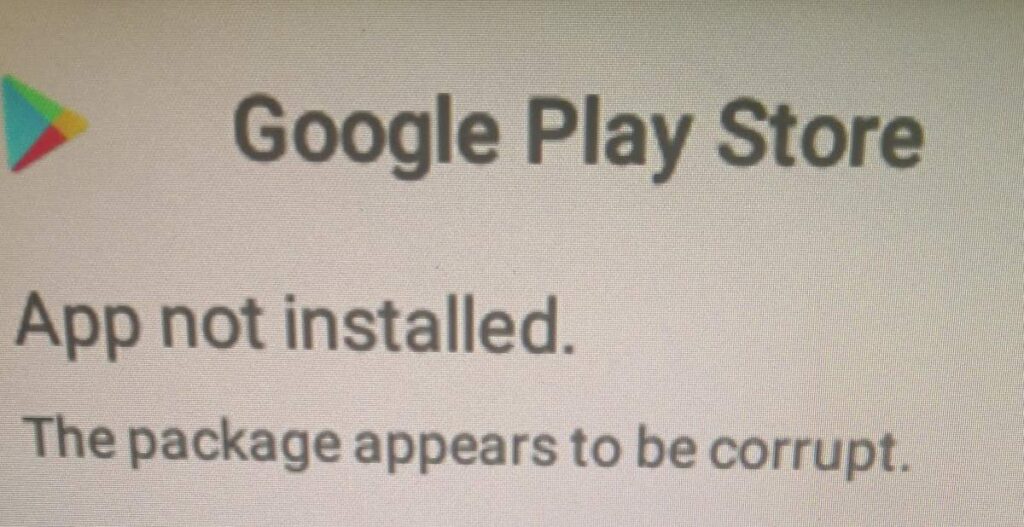
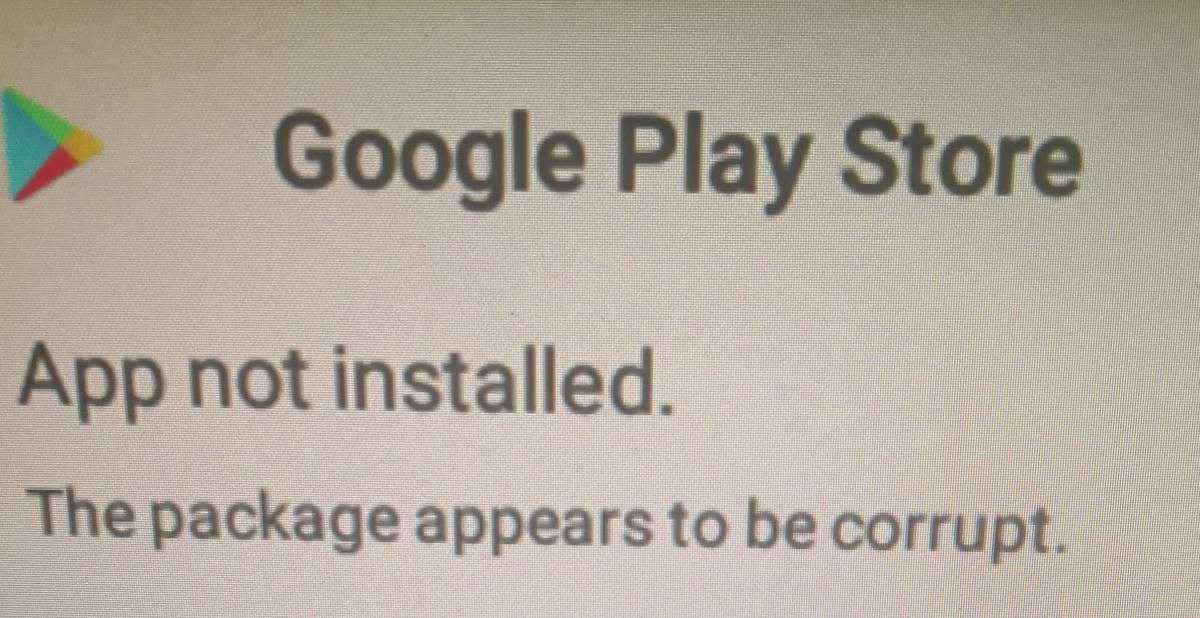
Trying to login to Google Play I was asked to update, then greeted with a corrupt file error. However, it then still allowed me to log in. The same thing happened when I installed Kodi and Plex via the APKs provided in the Help menu.
Kodi and Streaming
When you install Kodi via the help menu, this is a slightly older version running at 17.3, so you may want to install the latest build manually. I can’t remember how I installed Kodi on the ABOX A1, but I am sure it was via the same method and that came with the latest build.
Once I had added my network folders and got my shared library working Kodi worked fine. It has been a few months since I used the ABOX A1, but I subjectively found the Globmall X4 to perform better. In particular the couple of movies and TV shows I watch experienced no artifacting that I got on the previous device. I am not sure why one works better than the other when the internal is the same, maybe I was unlucky with my file choice last time, or the underlying software has been improved.
I tried a few movies that I had encoded at 1080P with different audio, and they all passed without issues, this includes Dolby Digital 5.1 and DTS-HD MA 7.1.
It was also able to play some sample 4K files without noticeable issues.
Netflix has similar performance as last time. It works fine, the remote seems to work better on this device, but it is still far from ideal, the touchpad on the keyboard is the easiest method. When you start a stream, it is very low quality and takes a good 5-10 seconds to establish a higher resolution stream. Skipping forward or back is a bit laborious, much slower than the Amazon Fire TV 4K.
Unfortunately, with all these Android boxes, due to DRM issues getting 4K HDR to work over streaming services is not possible, so you need to opt for a Fire TV 4K, Shield, or Apple TV 4K.
Overall
From memory, this appears to be less glitchy than the ABOX A1 even though the hardware is the same. It is also £5 cheaper so based on price alone it is a better purchase than the ABOX; you get the same spec at 10% cheaper.
Dependant on what you want from an Android-based TV box this is a decent option, it is cheap, works with Netflix and other streaming services, and plays local content with no issues.
If you stream your content from questionable sources, I am sure it will do fine, and if you are not invested into 4K yet, then there is no reason to worry about the lack of 4K HDR streaming services.
Anyone with a decent home cinema set-up will likely want to invest in something better such as the Amazon Fire TV 4K, the interface runs much better, and it is compatible with a wide range of DRM based services, plus Kodi and Plex work great on it. It does cost 50% more, and then you probably need an ethernet adapter too, which is another £15.
The Elegear Arc-Chill is not exactly a gadget or piece of consumer technology as such, but I have covered a lot of fitness and health technology. Sleep is essential for both fitness and general health, and I have a bit of an obsession with trying to improve the quality of my sleep. I have had…
Home surveillance tech is getting scarily advanced, Ezviz is one of the companies at the forefront of this technology. I am a huge fan of both colour night vision and AI object detection. Now, these have been combined with a PTZ camera to offer AI automatic tracking of anyone that enters your property. This model…
I don’t personally use the iPhone, but I have always thought the MagSafe concept was a great feature that I would love to see on Android. That might become a reality with Qi2 wireless charging, but in the meantime, there are some brands that have integrated MagSafe-like functionality into phone cases. When I got my…
In the venture of acquiring a high-quality pair of headphones, you’re likely to cross paths with a few technical terms that may initially seem like a complex jargon, especially if you’re diving into the intricate world of audio technology for the first time. For individuals who haven’t ventured deep into the headphone territory before, the…
Following my recent reviews of the Lintelek, Letsfit and Fatmoon Fitness Trackers I decided to continue trying other brands out as I have had quite a bit of interest in them from readers. As I have concluded previously, many of the fitness trackers on Amazon are identical, and they are just white label products that…
When I am at home, I use a proper Amazon Kindle Paperwhite e-reader which I have owned since 2016. There are not many pieces of consumer tech that I will keep and consistently use for over seven years, so I think it has been an amazing investment. However, I once left the first Kindle I…

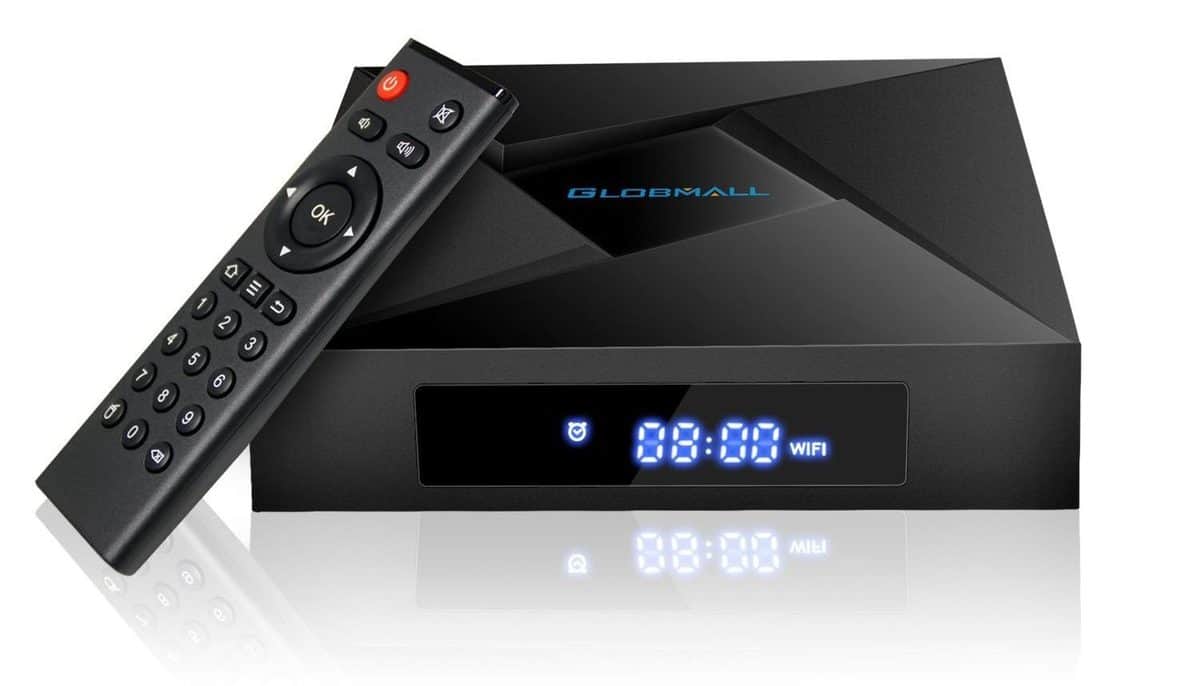
 The only real difference between the 2 is the case that contains the hardware and the remote supplied. With the Globmall X4, you get a LED display on the front of it which helps with user feedback, so I would say it is slightly better of the 2 options.
With the hardware inside being identical, it may come as no surprise that the software is equally similar. The colours are slightly different and the wording on some of the options, but everything else is identical.
The only real difference between the 2 is the case that contains the hardware and the remote supplied. With the Globmall X4, you get a LED display on the front of it which helps with user feedback, so I would say it is slightly better of the 2 options.
With the hardware inside being identical, it may come as no surprise that the software is equally similar. The colours are slightly different and the wording on some of the options, but everything else is identical.