How to upgrade the TerraMaster F4-422 to TrueNas with an extra 8GB RAM (12GB total) & 5 drives for the ultimate affordable 10Gbps NAS
Following on from my guide to upgrading the TerraMaster F4-421 to Unraid, I have upgraded my TerraMaster F4-422 to use TrueNas Core with an additional 8GB of RAM, providing me with 12GB total.
While my TerraMaster F4-421 has a mishmash of old drives, my TerraMaster F4-422 has four 8GB shucked Western Digital drives and a 1TB Kingston KC600 SSD which is used for caching.
I had planned on setting this up with mirrored/striped vdevs for improved performance similar to RAID 10. However, I ended up settling on Raid Z1, and with the help of the cache, the overall performance is excellent and can comfortably transfer around 250MB/s thanks to my EnGenius ECS2512FP 2.5GbE POE switch.
The overall upgrade process is identical to the TerraMaster F4-421, with both NAS units having a very similar specification and almost identical layout. The only difference with the TerraMaster F4-422 is that it has that 10Gbit Ethernet port.
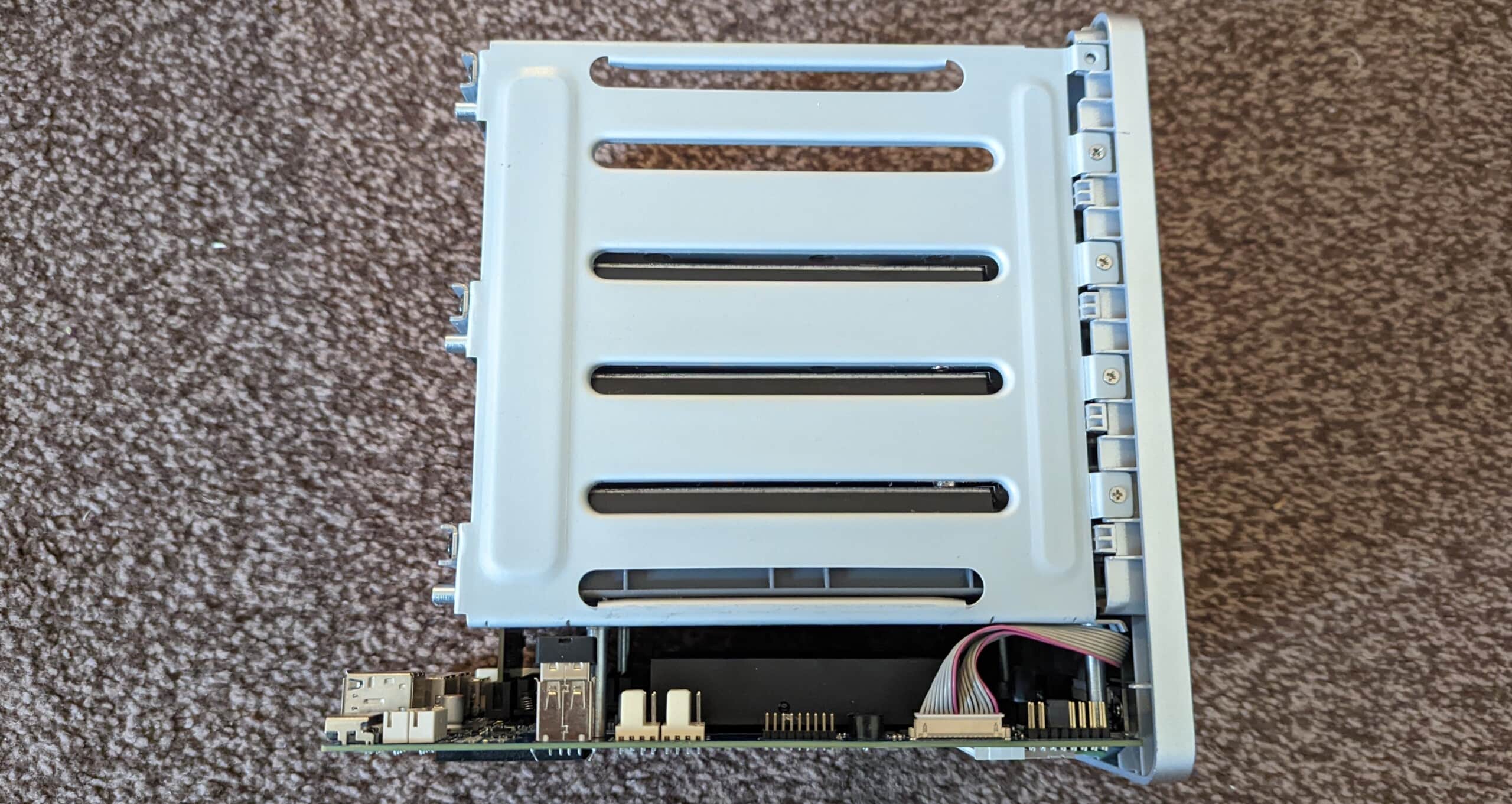
Just like the TerraMaster F4-421, this four-bay NAS actually has a 5 drive slot, the only issue is the 5th drive cage is blocked off. For me, I have used this 5th bay for the SSD, at the moment, it is tempting fate dangling loosely, unless I knock the NAS off my shelf, it should be OK for now. Eventually, I will find some way to physically secure it in place.
- POWERFUL HARDWARE: Intel Apollo J3455 1.5GHz quad-core CPU, and 4GB of RAM (expandable up to 8GB). Blazingly fast speed of 405 MB/s reading and 396 MB/s writing. AES hardware encryption engine encrypts shared folders and network data transmission to keep data from unauthorized access.
- AES hardware encryption engine encrypts shared folders and network data transmission to keep data from unauthorized access.
- Advanced Btrfs file system offering 71,680 system-wide snapshots and 1,024 snapshots per shared folder.
- Real-time hardware transcoding of up to two concurrent 4K video streaming
- Features an aluminum-alloy shell and intelligent temperature control ultra-quiet fan, good in heat dissipation. Support Seagate IHM. Seagate IronWolf NAS HDD's are recommended.
TrueNas vs UnRaid
As discussed in my original article, I am probably not qualified to provide an accurate comparison of TrueNas and UnRaid.
I won’t get into a debate over the file systems and parity options or the underlying OS, but for me, the main differences are:
I prefer the overall usability of UnRaid and the fact it can accept mismatched drives. It has superior access to apps thanks to the Community Application plugin, and it is just generally a superb system to use if you are a home user.
However, as I write this, I am copying files over to the UnRaid server at around 60MB/s. It can normally max out the gigabit limitation of the NAS for a while, but the speeds typically drop off after a little bit. It is quite likely the performance is made worse by the old and lower quality drives.
For my TrueNas TerraMaster F4-422, it comfortably sits at over 200MB/s, hitting peaks of around 270MB/s for the duration of large file transfers.
While it doesn’t have quite as many app options through the Plugins menu, it has all the important things pretty much every home user could want, including Plex, NextCloud, torrents, NZBGet, Radarr, Sonarr, AdGuard, and many more. Installation of these apps is normally just a case of hitting install and naming the jail.
TrueNas is also free to use, while UnRaid will set you back $59 (for a NAS of this size).
Opening Up the TerraMaster F4-422 – Accessing the HDMI Port
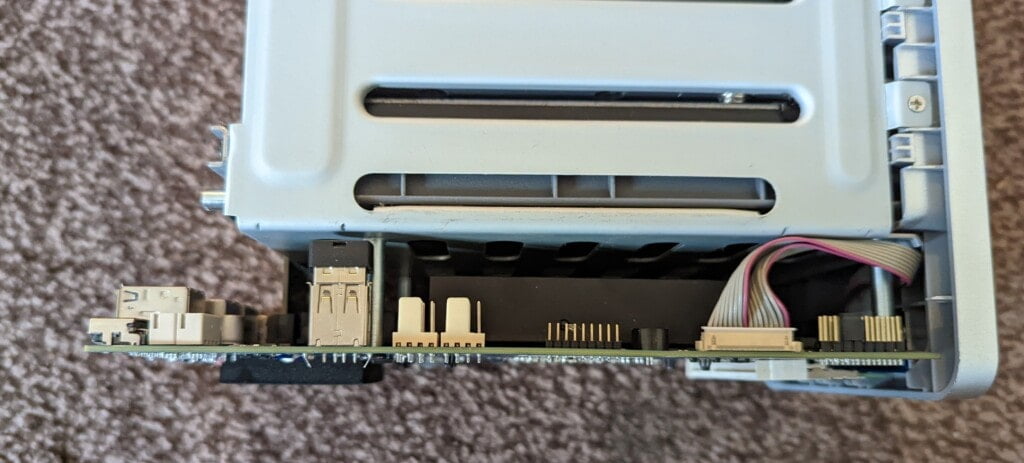
You open up the TerraMaster F4-422 just like the F4-421. You unscrew the back panel and gently remove it, unclipping the fan headers which are located behind the HDMI port (which was blocked off).
The HDMI port is functional, and I have no idea why TerraMaster blocked it off on this NAS but exposed it on the F4-421.
With the fans unlipped, the main body slides off easily.
A little further back from the fan headers is the internal USB drive which the TerraMaster OS runs off. You can install TrueNas to this drive, or you can swap it out for a new drive giving you an easy way to return back to TOS.
Upgrading the RAM

- ★ Memory Model: 8GB DDR3 DDR3L 1600MHz PC3 PC3L 12800S Laptop Ram. (Before purchasing, please ensure the RAM model, RAM slot and max memory of your laptops. Before installation, please wipe connection finger gently with eraser.)
- ★ Strong Compatibility & high stability: The ddr3l 1600mhz sodimm ram is designed for selected Intel, AMD & Mac systems, providing your laptop with superior compatibility and the stability required for a long-term system operation.
- ★ High Quality Chip and Strict Test: All chips are 100% tested and meet the RoHS, JEDEC, FCC and CE-EMC standards.
- ★ Plug and Play: Memory upgrading is the fastest, easiest, and most affordable ways to immediately improve the performance of your computer. If your laptops runs slowly, memory upgrading can solve your problems effectively.
- ★ Lifetime Warranty & Technical Support: If for any reason you're not completely satisfied with this ddr3l 1600mhz sodimm ram, please feel free to contact us.
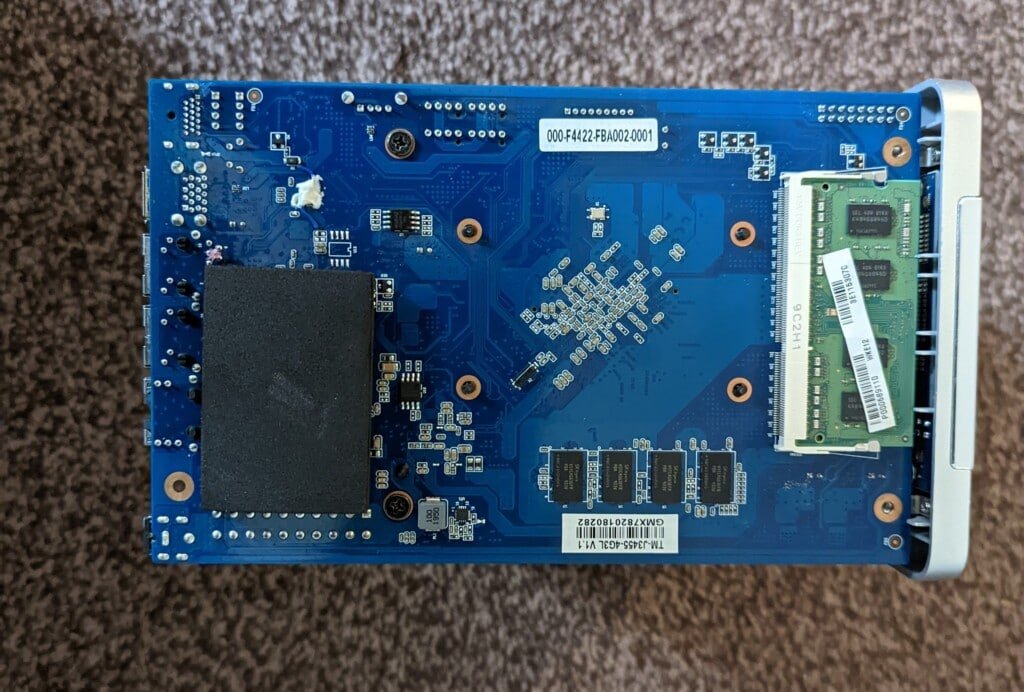
TerraMaster state that this NAS can only be upgraded to 8GB RAM (4+4), but you can add an 8GB RAM module, and TrueNas recognises 12GB.
Because I am cheap, I thought I would try the random brand Kuesuny 8GB DDR3L, which is about £8 cheaper than Samsung or Integral options. Thankfully it works as expected.
To install it, you don’t technically need to remove the entire front panel. I just unscrewed the two screws near the RAM slot, and there was enough wiggle room to slot the RAM in easily.
Installing TrueNas
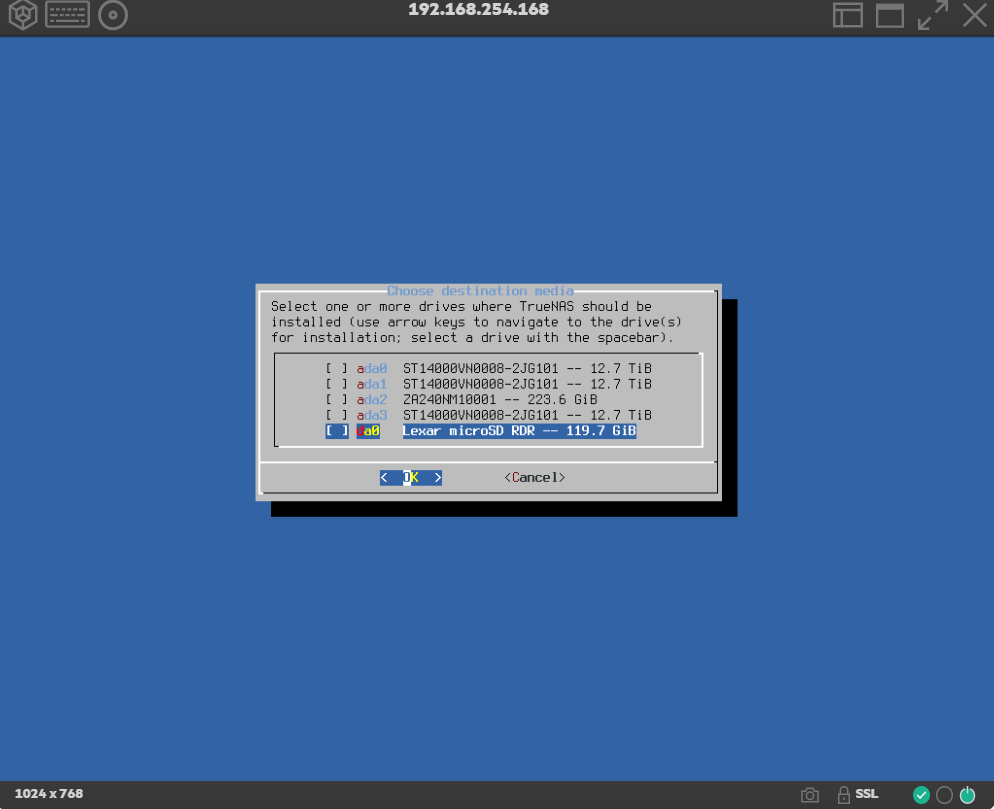
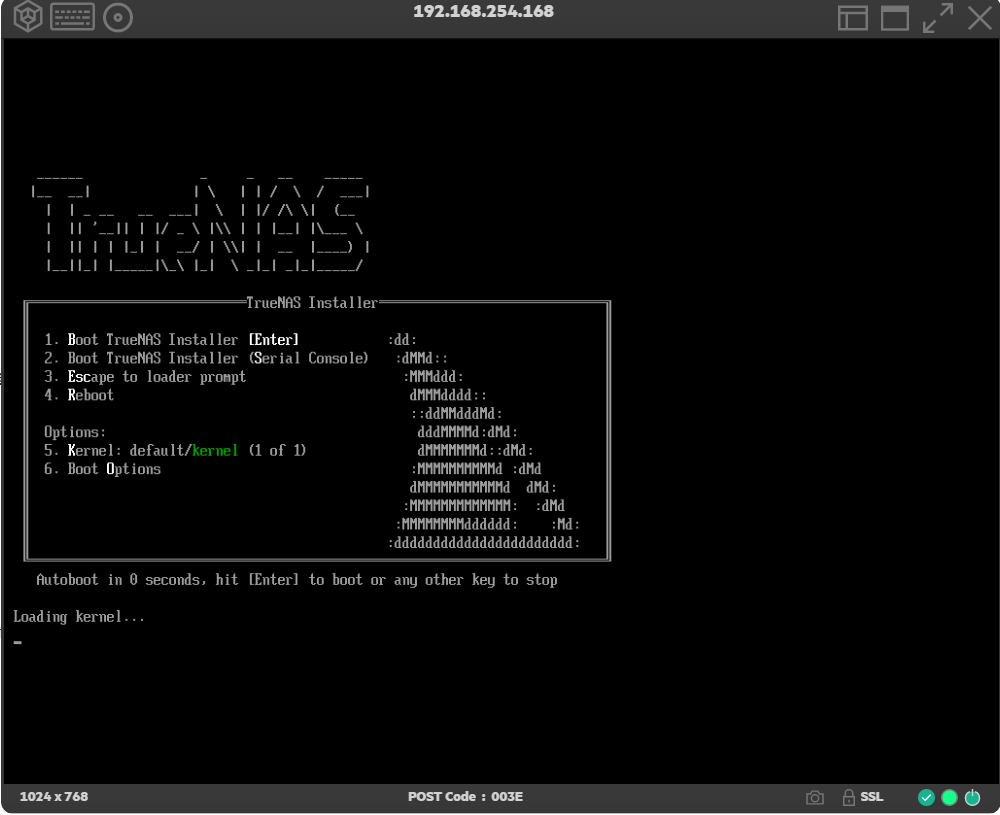
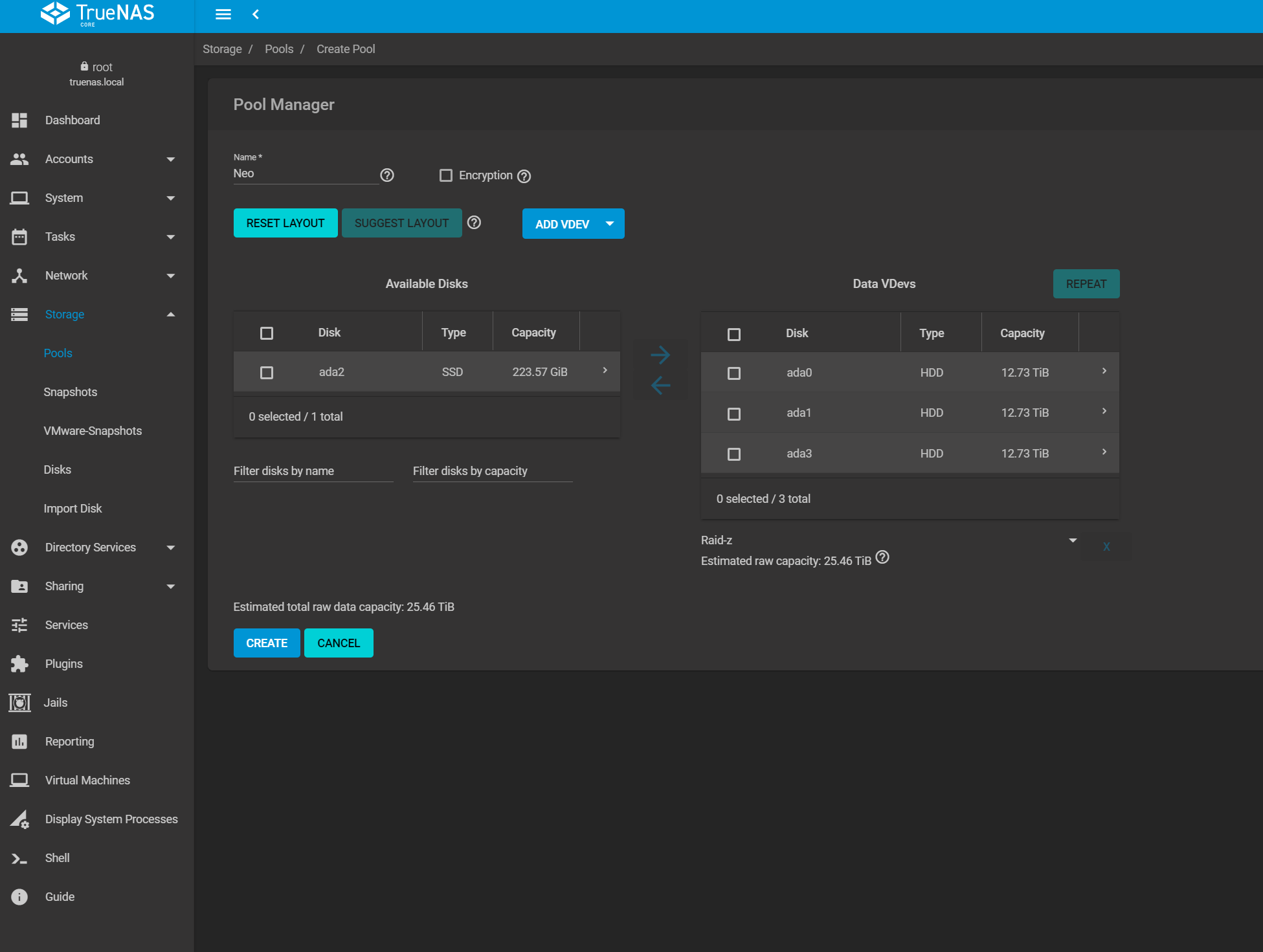
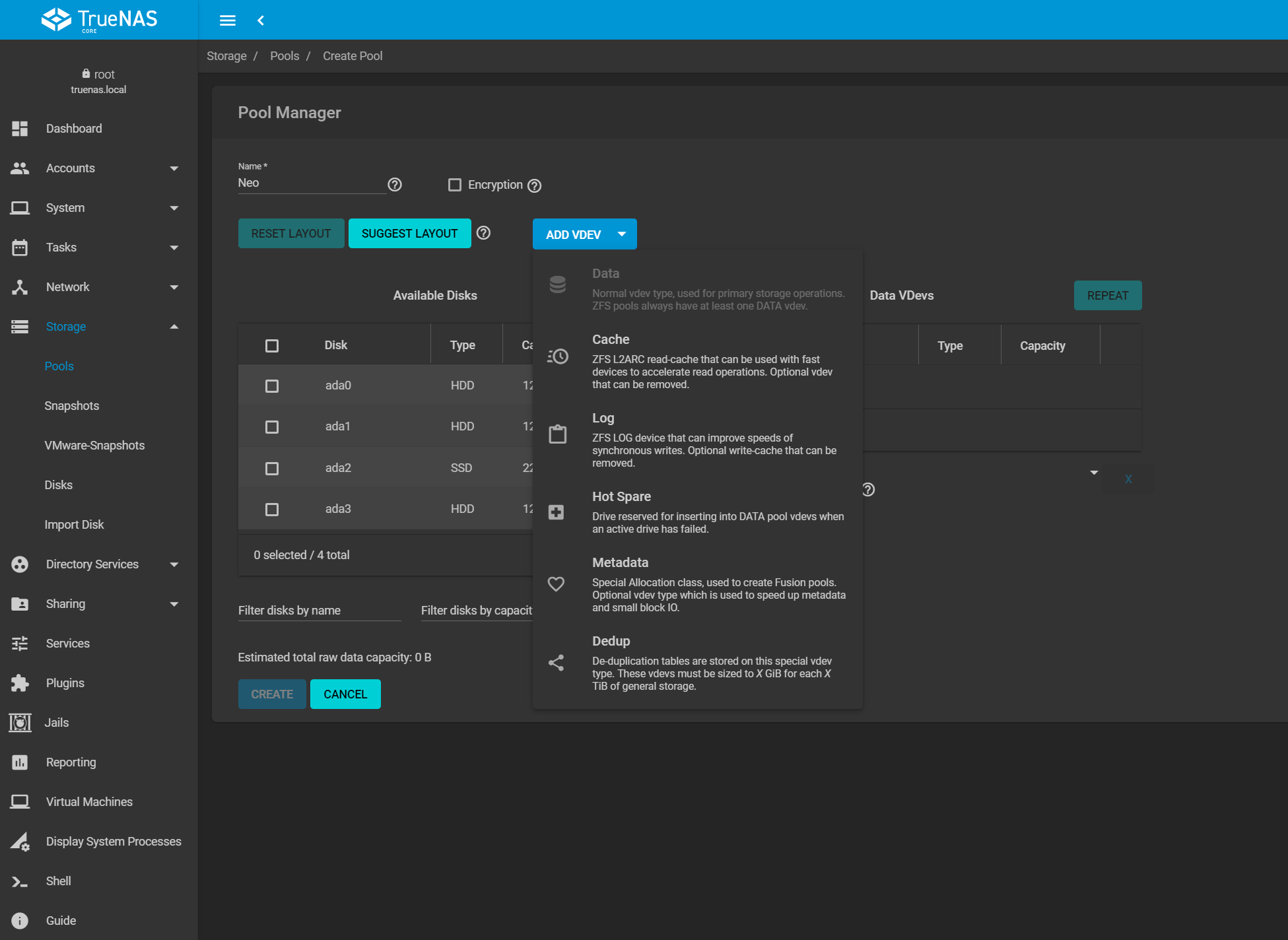
Unlike UnRaid, you create a bootable installation USB and then install TrueNas onto the internal USB.
I found that it was possible to slide out the existing USB without detaching the cages from the motherboard. I then replaced this with the SanDisk SDCZ430-032G-G46 Ultra Fit 32 GB USB 3.1 Flash Drive. I am not sure if the internal header is USB 3.1 or if it will offer any benefit in performance, but the drive is £8, so I don’t really care.

- Compact plug-and-stay design to instantly add storage to your laptop, game console, in-car audio, and more
- Save time with transfer speeds up to 130MB/s
- Transfer a full-length movie to the drive in less than 30 seconds
- Get space for your high-resolution photos, videos, and music, plus documents and more at a great value with up to 512GB* of storage
- Password-protect files using a downloadable software
TrueNas doesn’t have an automatic USB creator, so you need to download the ISO then burn it to the USB drive with an application such as Rufus.
I am not sure if it is possible to install TrueNas headless, I used the HMDI port and plugged in a keyboard.
With the bootable USB fitted to one of the external USB ports, the TerraMaster loading up the TrueNas installation screen without any need for me to touch the BIOS settings.
Overall
Upgrading the TerraMaster F4-422 to TrueNas has been superb. Drive performance appears to have improved significantly compared to TOS, I used to get around 160MB/s read/write for large files now, it is 200-260MB/s.
There are perhaps fewer apps to choose from compared to TOS, but the quality of apps is superior. For home users, at least, you have a better selection of downloading apps such as NZBget/Sonarr/Raddar, you also have AdGuardHome, Grafana, Home Assistant and Unifi Controller. The apps seem easier to install too.
My next experiment will be to migrate from TrueNas Core to TrueNas Scale so I can have native Docker support.