Any links to online stores should be assumed to be affiliates. The company or PR agency provides all or most review samples. They have no control over my content, and I provide my honest opinion.
GL.iNet Flint 3 Wi-Fi 7 Router Review
Summary
The GL.iNet Flint 3 is one of the most capable and feature-rich consumer routers I have tested, combining Wi-Fi 7 performance, full 2.5GbE connectivity, exceptional VPN support, integrated Tailscale, and AdGuard Home into a package that outperforms most competitors in the sub-£200 range. While the lack of true mesh support limits its appeal for larger homes, its advanced capabilities, OpenWrt flexibility, and outstanding network tools make it an excellent choice for enthusiasts, home workers, and anyone who wants premium router features without premium pricing.
Overall
95%-
Overall - 95%95%
Pros
- Excellent performance with Wi-Fi 7 and full 2.5GbE ports.
- Outstanding VPN support including WireGuard, OpenVPN-DCO, policy routing and Tailscale.
- AdGuard Home integration provides superior security and ad blocking.
- OpenWrt base with extensive customisation options.
Cons
- No native mesh support.
- Not fully vanilla OpenWrt for purists.
My only experience of GL.iNet in the past has been via the ExpressVPN rebranded Aircove routers, which use their own custom firmware, such as the Aircove Go travel router and the Aircove Wi-Fi 6 router.
I recently moved to Aquiss on City Fibre with a 2500Mbps line and experienced issues with upload speeds on my Unifi Cloud Gateway Max. The GL-iNet Flint 3 is one of the recommended routers, so I figured I should try that before committing to a call-out from City Fibre.
Sadly, it didn’t fix the problem, but I did come away extremely impressed with the GL-iNet Flint 3.
| Preview | Product | Rating | Price | |
|---|---|---|---|---|

| GL.iNet GL-BE9300 (Flint 3) Tri-Band WiFi 7 Router,... | Buy on Amazon |
Related Reviews
- Aircove Go Review
- ExpressVPN Aircove Review
- Firewalla Gold Plus Review
- Vilfo VPN Router Review
- UK VPN Guide: Avoiding Providing ID for the Online Safety Act
- Unifi Route Domains Through VPN When Using AdGuard or PiHole DNS – How to Bypass Online Safety Act ID Checks
- SurfShark VPN Review
Specification / Features
Wi-Fi Specifications
- Tri-band Wi-Fi 7 supports simultaneous operation at 2.4 GHz, 5 GHz, and 6 GHz for a combined theoretical speed of up to 9300 Mbps.
- Maximum rates: 688 Mbps at 2.4 GHz, 2882 Mbps at 5 GHz, 5765 Mbps at 6 GHz.
- MLO (Multi-Link Operation) allows fast cross-band connections and optimises latency for multi-device usage.
- PSC (Preferred Scanning Channel) for swift 6 GHz channel selection.
Hardware Features
- Five 2.5 Gbps Ethernet ports provide multi-gigabit wired connectivity for workstations, servers, and local storage devices.
- USB 3.0 Type-A port rated at 5V/2A for directly attached peripherals such as fast storage or mobile tethering.
- Built-in 1 GB DDR4 RAM and 8 GB eMMC storage for system stability and advanced features.
- Four foldable external antennas with FEM amplification for improved coverage and signal penetration.
- Dual-colour LED for identification; physical reset button supports network and full factory reset.
- DC power input: 12V/4A via a 5.5 x 2.1 mm connector.
Software and Management
- Runs OpenWrt 23.05 OS with kernel version 5.4.213. This allows access to over 5000 customisation plugins and advanced CLI configuration.
- Dual network management platforms: GoodCloud for remote administration across multiple sites, and AstroWarp for device monitoring and future hardware control.
- Enterprise-level customisation tools for white-labelling, reseller management, diagnostics, and batch operations.
- Supports VLAN, Multi-WAN, WAN/LAN switching, load balancing, and failover protocols.
Wireless and Security
- Wi-Fi guest network isolation, SSID customisation/hiding, transmission power management, and BSSID randomisation.
- AdGuard Home integration for network-wide ad blocking and content filtering.
- Robust parental controls, including scheduling, device management, and site filtering via both local and Bark cloud profiles.
- Full support for OpenVPN (client/server including OpenVPN-DCO), WireGuard (client/server), Tor, ZeroTier, and Tailscale VPNs with up to 680 Mbps throughput.
- Central policy routing, dynamic DNS, port forwarding and DMZ.
- Drop-in gateway and full IPv6 support.
Dimensions
- Size: 240 x 157 x 74 mm.
- Weight: 848 g.
OpenWrt / MediaTek
One criticism I see about this router is that it does not use vanilla OpenWRT and has switched to a Qualcomm chipset from MediaTek.
The 5GHz Wi-Fi is technically slower. This is something I have seen happen a lot with Wi-Fi 7 products. Brands have ditched the 4×4 MIMO in favour of 2×2 MIMO plus a 6GHz radio. For home users, there is not a great deal of benefit to 4×4 MIMO as client devices are only 2×2 at best.
The 4×4 MIMO can help improve range and reliability (but I’d question by how much?), higher capacity if you have a lot of devices (not that likely in a home environment), and it helps with Wi-Fi mesh backhaul (which GL-iNet does not support).
I have seen many GL-iNet fans argue that the Flint 2 is a superior product with better OpenWRT support and lower VPN speeds.
Sadly, I have not used the Flint 2, so I can only base my opinion on this.
Unboxing / Design
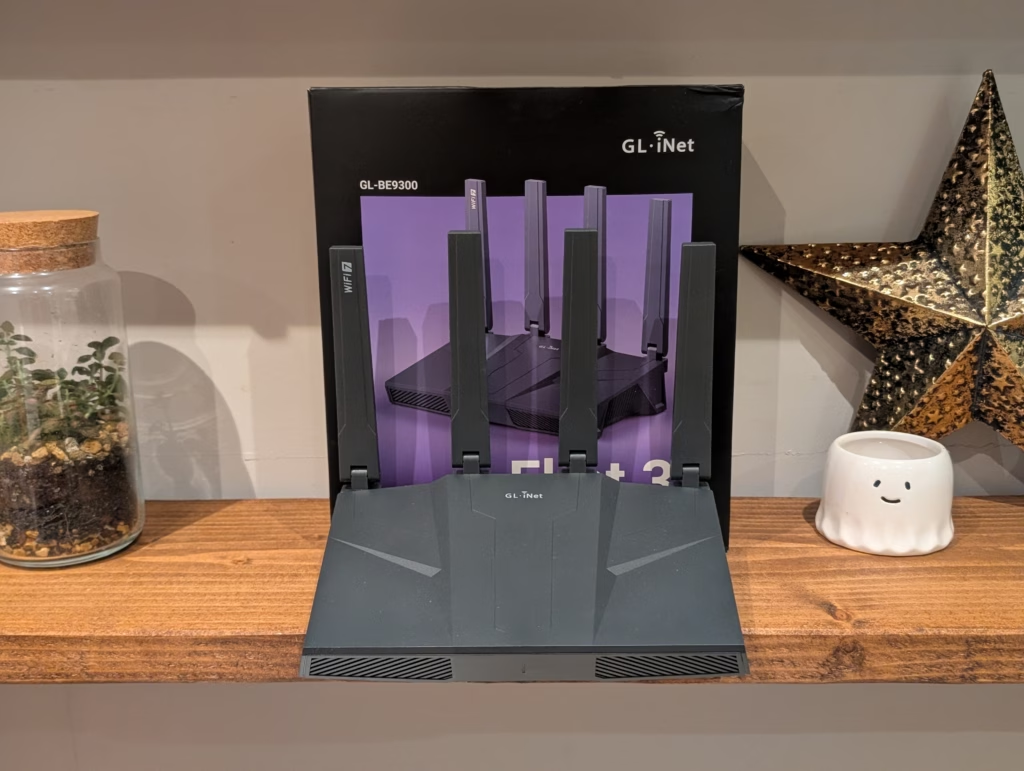
Inside the box, you will find the router itself, a sizable power brick, and a flat Ethernet cable.
The Flint 3 continues the design language of its predecessor, the Flint 2, but with some refinements. The casing is heavily ventilated, which is necessary because high-performance networking equipment generates significant heat.
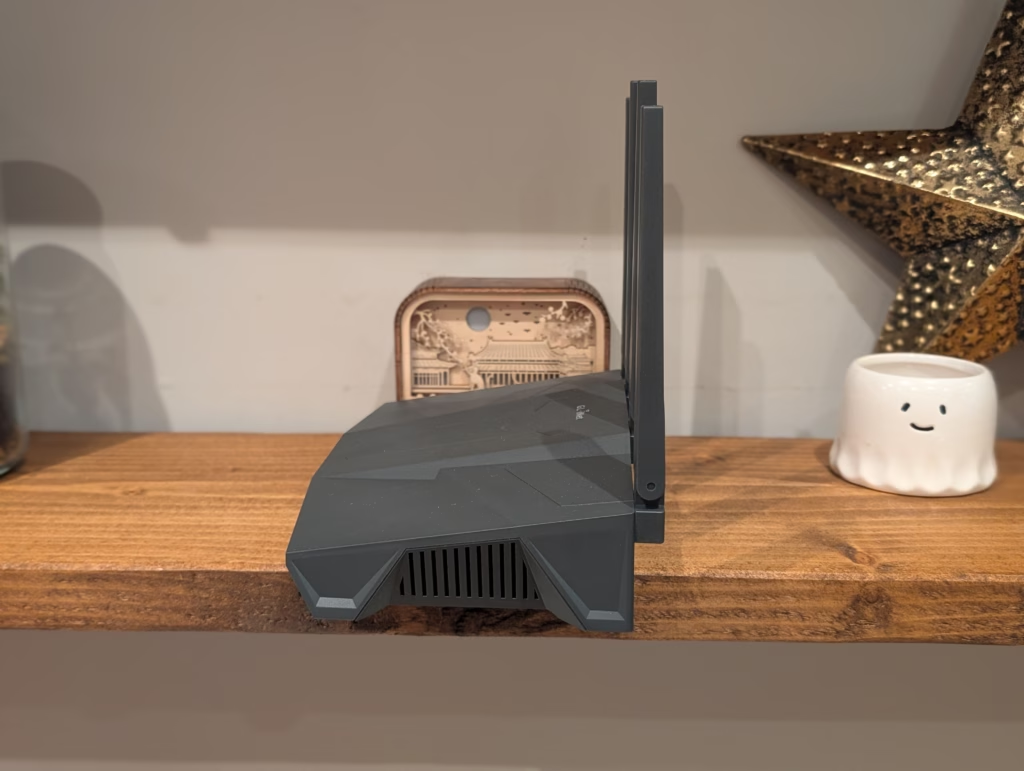
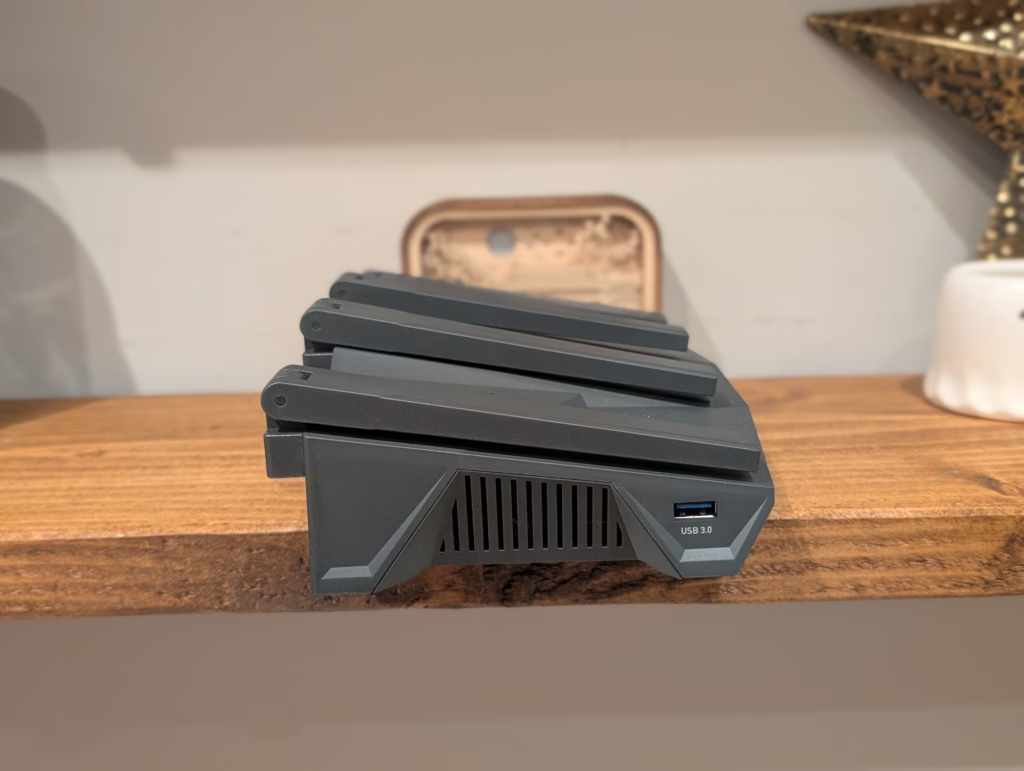
The antennas are permanently attached but can be folded down flat or angled to suit your placement. While removable antennas would have been nice for users who want to attach high-gain third-party options, the stock antennas are high-quality and sturdy.
On the rear, you find the array of five Ethernet ports. It is rare to see a full 2.5GbE lineup on a router at this price point. Usually, manufacturers offer one 2.5GbE WAN port and four 1GbE LAN ports. GL-iNet has outfitted all five ports with 2.5Gbps capability. This is excellent for future-proofing. If you have a NAS (Network Attached Storage) with a 2.5GbE interface or a modern PC motherboard, you can transfer files across your local network at speeds approaching 280 MB/s, more than double the speed of standard Gigabit Ethernet.
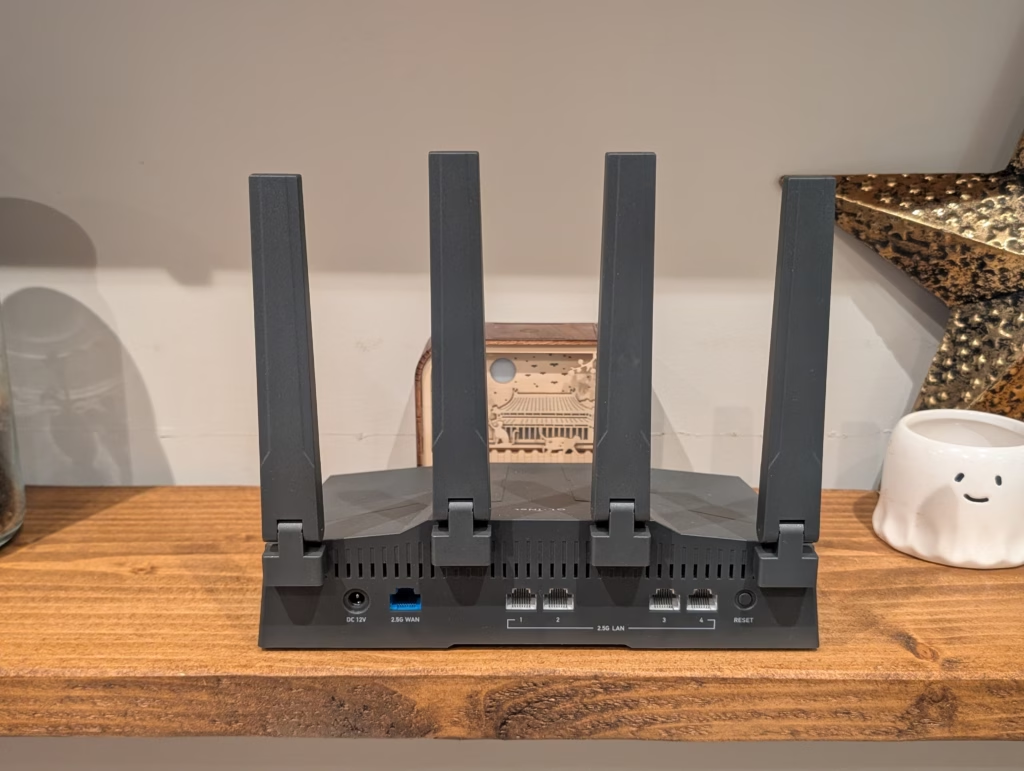
The front panel features a single dual-colour LED indicator. It glows blue when the system is working correctly and pulses or changes colour during boot or error states. It is discreet enough not to be a nuisance in a dark room, but you can disable it in the software if you prefer total darkness.
The power adapter is worth noting. It is rated for 48W (12V/4A), which is substantial for a home router. This high overhead is necessary to power the 2.5GbE ports, the high-performance Wi-Fi radios, and any USB device you might attach.
The router itself has a distinct aesthetic. Unlike the sleek, white cylinders preferred by mesh systems like Eero or Deco, the Flint 3 looks like a piece of networking gear. It features a matte black finish with angular vents and four tall, folding antennas. It will not blend into a living room bookshelf, but for a home office or server cupboard, it looks appropriate.
Set Up
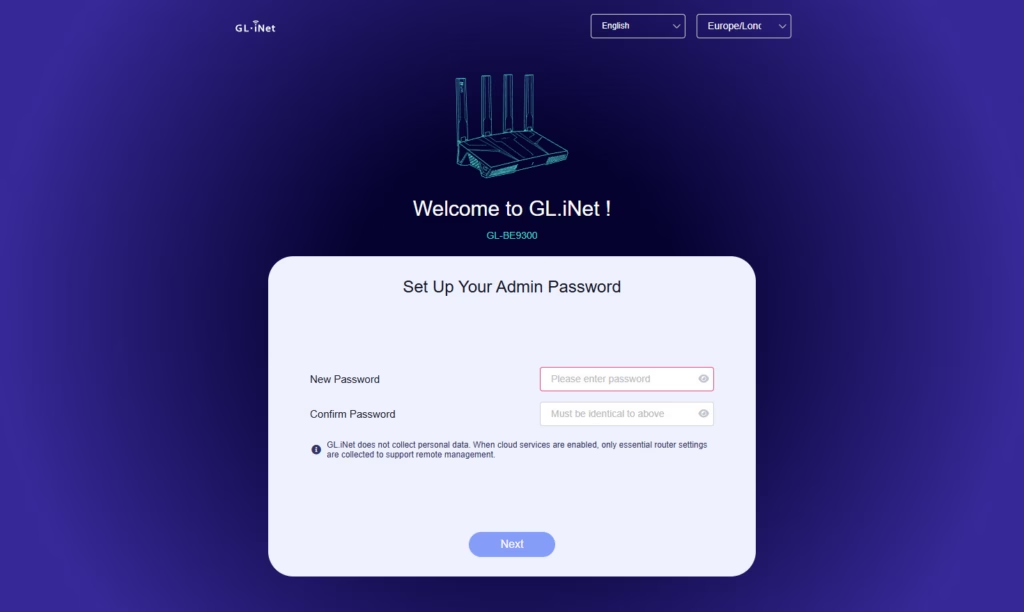
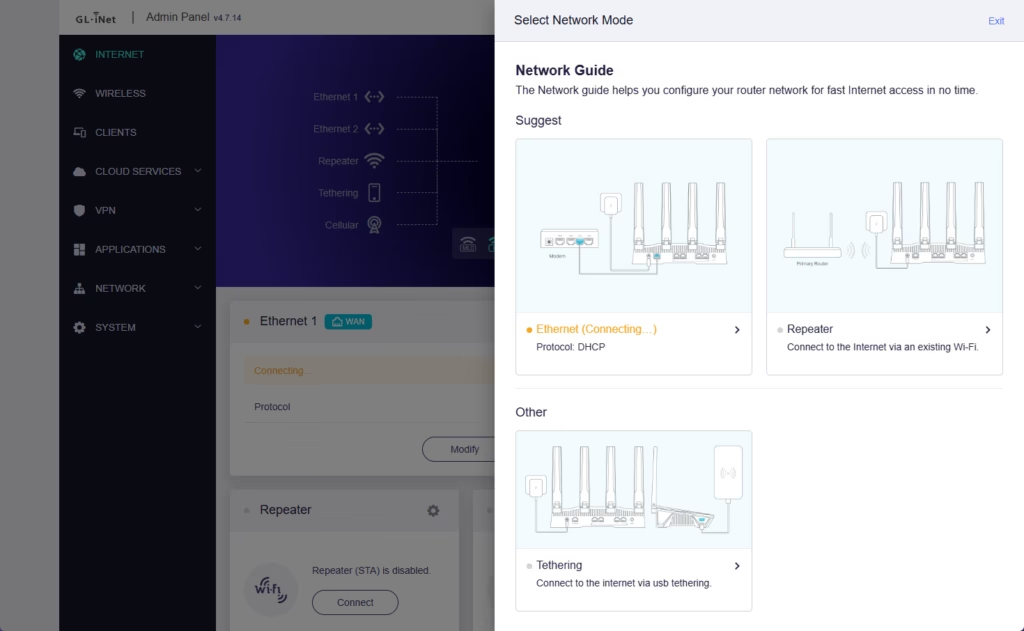
Setting up the Flint 3 is straightforward. You have two options: the GL-iNet smartphone app or the web browser admin panel.
I opted for the web browser method, as it offers more granular control. You connect to the router’s default Wi-Fi network (printed on the bottom label), navigate to the default IP address (192.168.8.1), and follow the wizard. You will be asked to set a language, an admin password, and your Wi-Fi credentials.
The router detects your WAN connection type automatically. For my Aquiss connection, which uses PPPoE, I simply had to enter my username and password. The router connected immediately.
One aspect I appreciated was the speed of the interface. Many routers have sluggish interfaces that take seconds to load between pages. The Flint 3 interface is snappy and responsive, likely due to the powerful Quad-core processor and generous RAM.
User Interface / Settings
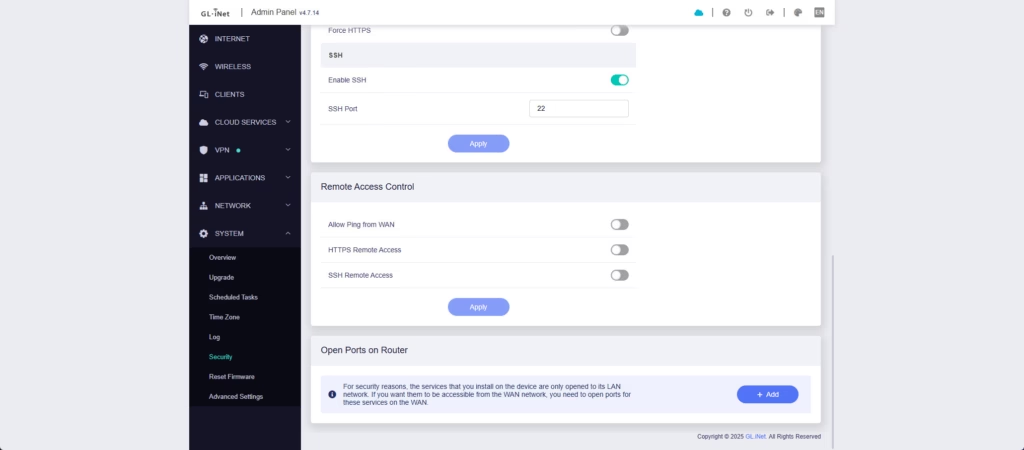
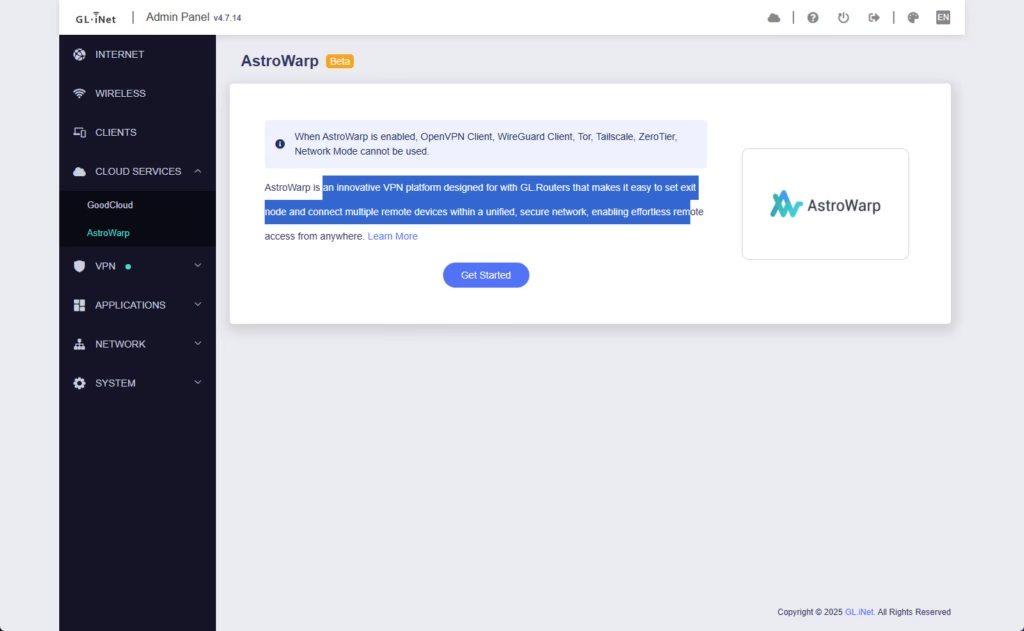
GL-iNet uses a custom “skin” over the top of OpenWrt. This interface is clean, modern, and easy to navigate. The dashboard gives you a quick overview of your network status, connected devices, and real-time traffic usage.
On the left sidebar, you have categories for Internet, Wireless, Clients, VPN, Applications, and System. This layout makes it easy for non-technical users to find what they need without getting lost in jargon.
However, the real power lies in what is underneath. Because this is built on OpenWrt, you can access the “LuCI” interface. This is the advanced, standard OpenWrt interface that gives you total control over every aspect of the network. You can install additional software packages (plugins) from the repository, configure advanced firewall rules, and tweak network parameters that most consumer routers lock down.
It is worth noting the kernel version. The Flint 3 runs on OpenWrt 23.05 but uses an older Linux kernel (5.4.213). This is because the router uses a Qualcomm chipset, and the drivers provided by Qualcomm (QSDK) are tied to this specific kernel version. While this might annoy strict open-source purists who want the absolute latest Linux kernel, for the vast majority of users, it is not an issue. The system is stable, and GL-iNet backports security fixes.
AdGuard Home
I am a big fan of AdGuard Home and prefer it over PiHole to provide ad blocking and improved security for my network. I personally host it on a mini PC running Proxmox, which I switched to during my testing.
It is a perfect solution for most people as it saves you from having to run AdGuard Home on a separate device. Raspberry Pi is no longer that affordable, so if you were to host it on one of those, you are looking at around £60 for the RPi5.
I’d argue that the ad blocking, browsing security web service, safe search and parental control features that are available via AdGuard Home provide superior security and general quality of life improvements than the security suites you find on big brand names like Netgear and TP-Link.
VPN
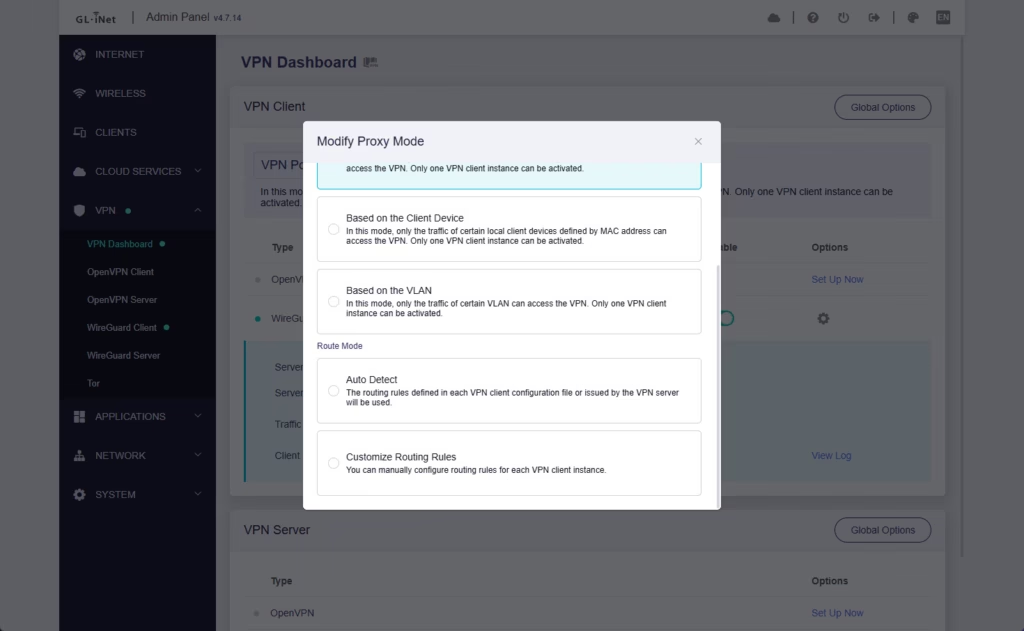
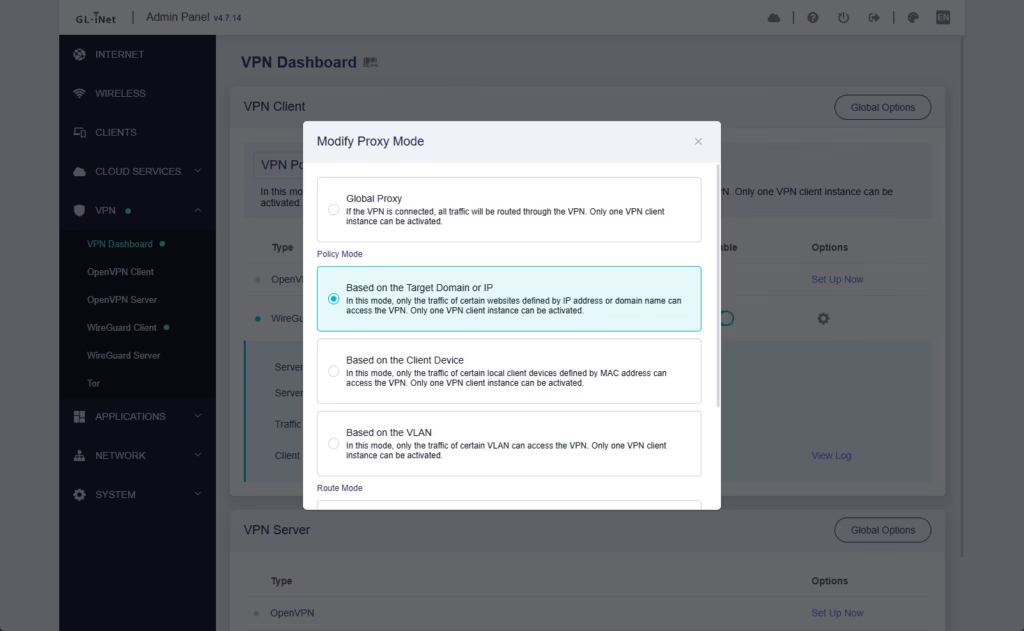
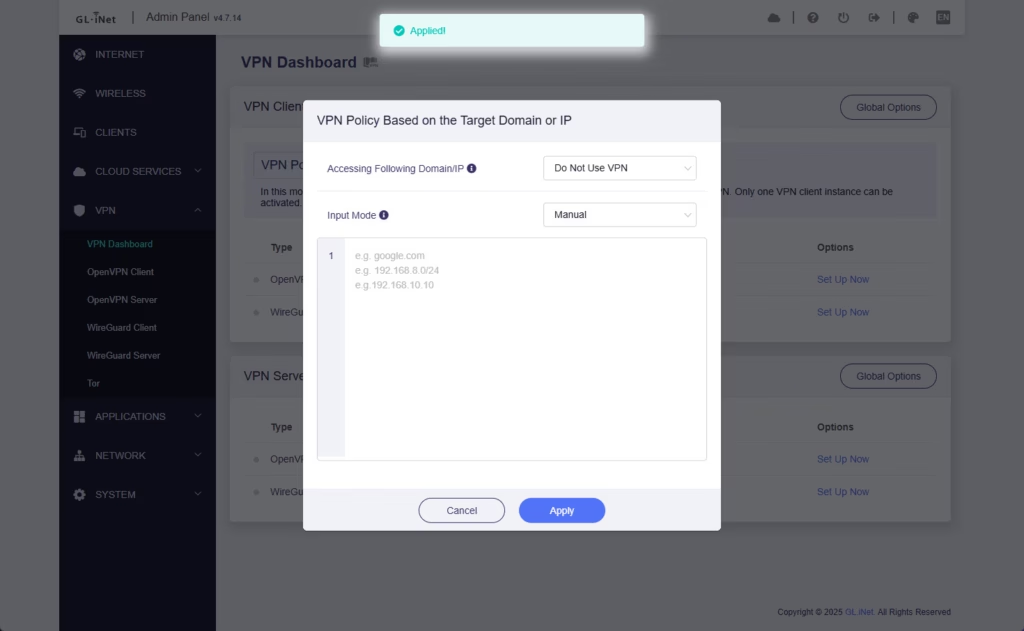
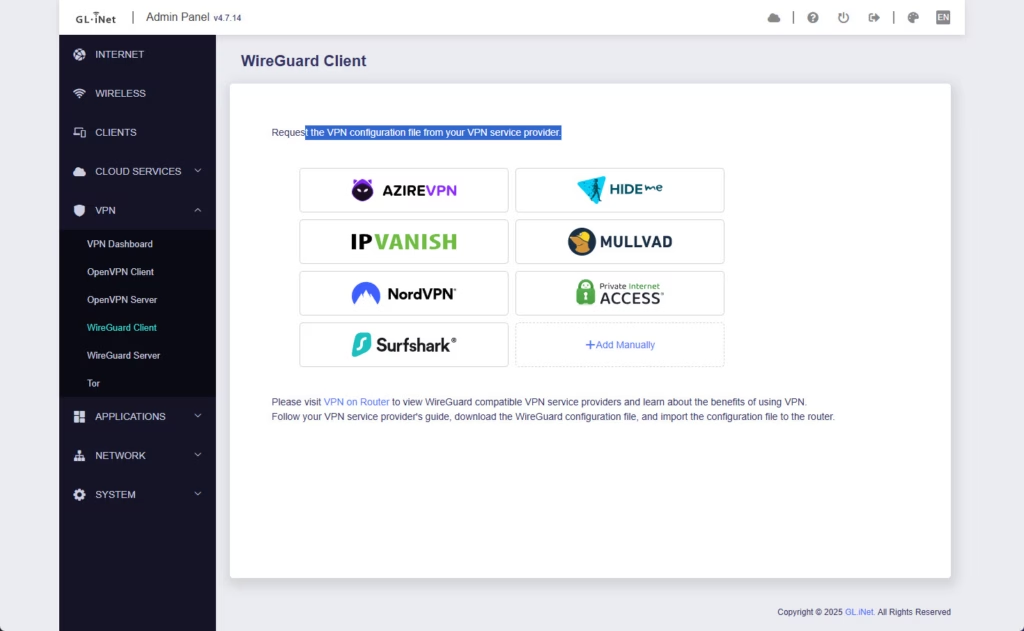
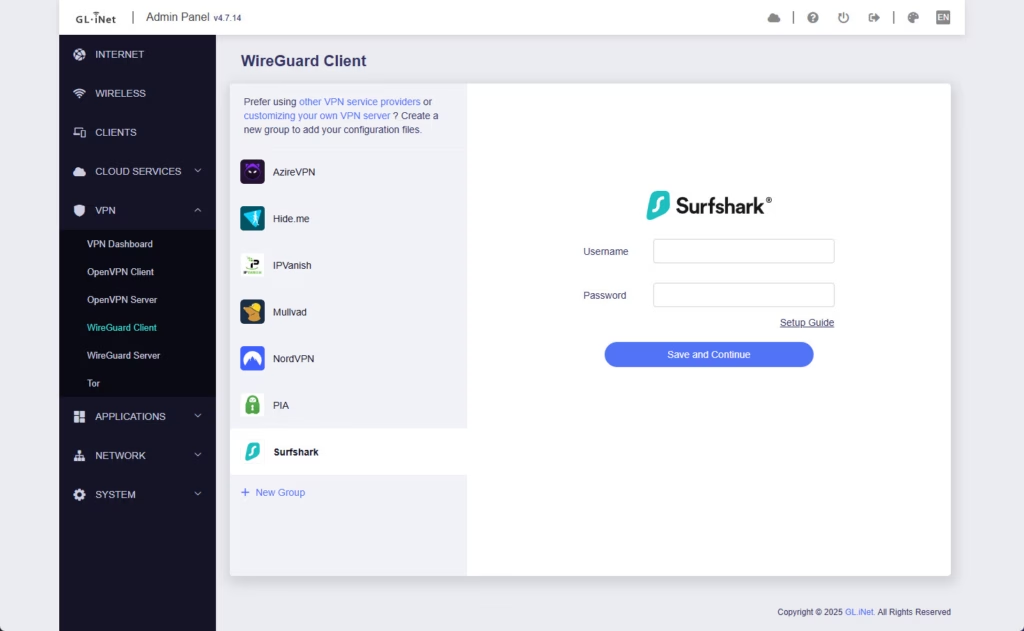
The VPN features are one of the main selling points of GL-iNet. While most routers support things like WireGuard, OpenVPN and L2TP, they typically require you to set everything up manually, often involving complex text files or certificate generation.
This is not difficult, but with GL-iNet, you have many pre-defined options that you can authenticate easily, making the process much more user-friendly. You can simply drag and drop a configuration file, or in some cases, log in directly to your VPN provider’s API.
Speeds: According to the specifications, the Flint 3 can handle up to 680 Mbps via WireGuard and OpenVPN (using the DCO accelerator). In my testing with a local WireGuard server, I achieved speeds very close to this limit. This is exceptionally fast for a router. It means you can leave the VPN on permanently without significantly slowing down your fibre connection.
Policy Routing: Additionally, GL-iNet supports some advanced routing features you don’t typically see on big brand names. It is a bit more complicated to set up, but you can configure policy-based routing. This allows you to route only specific devices (like a streaming stick) or specific domains (like netflix.com) through the VPN, while your work laptop goes through the normal internet connection.
This is a great solution for anyone wanting to bypass age verification checks in the UK or access geo-blocked content without affecting the latency of their gaming PC.
Tailscale
I travel a lot and now also work from an office, so I have started to need to access my home network remotely. I predominantly use it to remote into a Windows VM from my work PC, but also to be able to access/backup files, access Home Assistant and much more.
My Unifi Cloud Gateway Max has Teleport, and the WiFiman app makes connecting simple, but I sometimes find the performance a bit hit or miss.
Tailscale is a Zero Trust Network Access service, which combines WireGuard with additional features like SSO, access control lists, and much more. You typically install it on the device you want to access, and only that device is available as a part of the “Tailnet”.
However, the Flint 3 has Tailscale integrated. You can set up the router as a “Subnet Router”. This provides full access to your entire home network (printers, NAS, cameras) as if you were sitting on your sofa, without needing to install Tailscale on every single device.
I have found Tailscale to be the best option for accessing my home network and love the fact that this is built into the Flint 3. On top of that, it is possible to set Tailscale to override the DNS settings on the device it is running on. So, if you install Tailscale on your phone, you can set it to use the AdGuard Home instance running on your Flint 3 when out and about. This gives you ad blocking on your mobile data, 4G, or 5G connection.
ISP Performance – Aquiss 2500Mbps PPPoE
One of the hidden killers of router performance is PPPoE (Point-to-Point Protocol over Ethernet). Many UK ISPs, including those on the Openreach and City Fibre networks (like Aquiss, Zen, and Vodafone), use PPPoE to authenticate.
Handling PPPoE encapsulation requires CPU cycles. On older or weaker routers, this can cause a bottleneck, preventing you from reaching the full speeds of a Gigabit or Multi-Gigabit line.
Once I resolved the issue with my Aquiss connection (faulty ONT) I am happy to report that the Flint 3 handled the 2500 Mbps PPPoE connection without breaking a sweat. The quad-core Qualcomm processor is more than capable of managing this throughput while simultaneously running Wi-Fi and AdGuard Home. If you are on a high-speed FTTP (Fibre to the Premises) plan, this router will not be the bottleneck.
Wi-Fi performance
I tested the wireless performance in a typical brick-built semi-detached UK home.
Close Range (Same room): Connecting via the 6GHz band on a supported laptop, I achieved throughput speeds in excess of 1.8 Gbps. This is faster than a standard Gigabit wired connection. It effectively means wireless is no longer the bottleneck for file transfers or high-speed internet downloads.
Medium Range (Down one floor): The 5GHz band held up well, delivering speeds around 800-900 Mbps. The signal penetration was noticeably better than the ISP-provided router I had used previously.
Long Range (Down one floor and two rooms over): This is where the external antennas prove their worth. Even in the furthest corner of the house, I maintained a stable connection on the 2.4GHz band, sufficient for streaming 4K video. The 6GHz band, which has a shorter range by nature due to its higher frequency, dropped off more quickly than the 5GHz band, which is to be expected.
Mesh Wi-Fi, or the lack of it
I’d say the main issue with the Flint 3, compared to other brands, is the lack of (user-friendly) mesh Wi-Fi.
TP-Link has EasyMesh, and Asus has AiMesh, which both allow you to expand your network by adding other EasyMesh/AiMesh routers as satellites.
GL.iNet does support extender mode and fast roaming with 802.11k/v/r, so you should be able to replicate the functionality, but this is likely beyond the networking skills of your average home user. That being said, as this has some advanced features, many of the people that buy this router for those features, should be able to set it up.
The GL.iNet forums indicate that mesh functionality is in development.
Power Consumption and Thermals
With great power comes… a higher electricity bill. Wi-Fi 7 radios and 2.5GbE PHYs are power-hungry components.
During idle usage, the router draws approximately 10 to 12 Watts. Under load, this can spike higher, though it generally stays below 20 Watts during typical use. The datasheet lists a maximum of <25W without USB load and <37.2W with USB load. While this is higher than a basic ISP router, it is comparable to other high-performance Wi-Fi 7 routers.
Thermal management is decent. The router gets warm to the touch, specifically on the underside, but the large vents prevent it from overheating. I did not experience any thermal throttling or instability during my testing, even during prolonged speed tests.
Price and Alternative Options
| Preview | Product | Rating | Price | |
|---|---|---|---|---|
|
| GL.iNet GL-BE9300 (Flint 3) Tri-Band WiFi 7 Router,... | Buy on Amazon |
The GL.iNet GL-BE9300 (Flint 3) has an RRP of £175 but has been as low as £133 on Amazon.
If you don’t need the Wi-Fi 7, or all 2.5GbE ports, then the GL.iNet GL-MT6000(Flint 2) is the logical alternative. This is typically available for £135, but has been as low as £105.
Similarly priced options include:
- TP-Link Archer BE550
- Price: £170
- WiFi: Tri-Band WiFi 7
- Networking: 1× 2.5 Gbps WAN port, 4× 2.5 Gbps LAN ports
- Features: EasyMesh, HomeShield
- Asus RT-BE82U
- Price: £200
- WiFi: Dual-band Wi-Fi 7.
- Networking: 5x 2.5G Ports
- Features: AiMesh
- Asus RT-BE92U
- Price: £220
- WiFi: Tri-band Wi-Fi 7.
- Networking: 1x 10GbE WAN/LAN, 1×2.5GbE WAN/LAN, 4x 2.5GbE LAN, USB WAN option
- Features: AiMesh, VPN Master
- Netgear Nighthawk RS200
- Price: £160
- WiFi: Dual-band Wi-Fi 7.
- Networking: 1×2.5GbE WAN, 1×2.5GbE LAN, 1xGbE LAN
- Features: Netgear Armor
Overall
While there is still room for improvement, the GL.iNet Flint 3 has been my favourite consumer router I have reviewed, and if I were not committed to Unifi, I would use it as my main router.
Looking at the basic hardware specifications, the Flint 3 is priced attractively compared to the competition. Most sub-£200 Wi-Fi 7 routers are dual-band, so you don’t get the benefits of the ultra-fast 6GHz network.
The main downside I found was the lack of true mesh support, which limits the appeal to smaller homes or forces you to rely on things like Wi-Fi extenders.
However, if the mesh features are not very important to you, then the features backed into the router are far superior to any other consumer router I have used.
The extensive VPN features are great. Thanks to the stupid online safety act, VPN usage has soared, and this is the perfect router for anyone wanting to use services like SurfShark or NordVPN. In particular, the domain-based policy routing is perfect for bypassing age checks on websites like Reddit, etc.
The Goodcloud service makes this router appealing to small IT companies/MSPs, allowing you to manage multiple routers from the cloud. The company I work at used Draytek for smaller clients, and I’d argue that GL.iNet could be a superior option.
I am a Tailscale convert myself, and having this built into the Flint 3 is the perfect way to be able to access your home network remotely. It is far superior to setting up a normal WireGuard VPN connection.
I am also a massive AdGuard Home fan, and I think this is a feature most home users would benefit from. It is easy to use and makes a significant difference to your browsing experience, as well as improving security. I’d argue that the improved security this provides is superior to the security features Netgear and TP-Link provide on their routers (and charge for).
As you can tell, I clearly love this router and therefore give it a very strong recommendation.
I will also remind any readers that I have not used the Flint 2. If you want access to vanilla OpenWrt, want better VPN throughput and are not interested in the increased throughput of WiFi 7, then that will likely be a better choice.
GL.iNet Flint 3 Wi-Fi 7 Router Review
Summary
The GL.iNet Flint 3 is one of the most capable and feature-rich consumer routers I have tested, combining Wi-Fi 7 performance, full 2.5GbE connectivity, exceptional VPN support, integrated Tailscale, and AdGuard Home into a package that outperforms most competitors in the sub-£200 range. While the lack of true mesh support limits its appeal for larger homes, its advanced capabilities, OpenWrt flexibility, and outstanding network tools make it an excellent choice for enthusiasts, home workers, and anyone who wants premium router features without premium pricing.
Overall
95%-
Overall - 95%95%
Pros
- Excellent performance with Wi-Fi 7 and full 2.5GbE ports.
- Outstanding VPN support including WireGuard, OpenVPN-DCO, policy routing and Tailscale.
- AdGuard Home integration provides superior security and ad blocking.
- OpenWrt base with extensive customisation options.
Cons
- No native mesh support.
- Not fully vanilla OpenWrt for purists.
Last update on 2026-02-06 / Affiliate links / Images from Amazon Product Advertising API

I am James, a UK-based tech enthusiast and the Editor and Owner of Mighty Gadget, which I’ve proudly run since 2007. Passionate about all things technology, my expertise spans from computers and networking to mobile, wearables, and smart home devices.
As a fitness fanatic who loves running and cycling, I also have a keen interest in fitness-related technology, and I take every opportunity to cover this niche on my blog. My diverse interests allow me to bring a unique perspective to tech blogging, merging lifestyle, fitness, and the latest tech trends.
I’m proud to share that Vuelio has consistently ranked Mighty Gadget as one of the top technology blogs in the UK. With my dedication to technology and drive to share my insights, I aim to continue providing my readers with engaging and informative content.